


macOS MDM

Manage company Macs,
no specialist needed

Zero-touch setup, enforced encryption and app delivery for your Macs, from the same console that runs your iPhones, Androids and Windows machines.

Bright modern workspace with laptop, potted plants, and desk lamp near a window.

Macs that set themselves up

Order a Mac, have it delivered to the employee, and it configures itself when they open the lid. Language preset, setup assistant handled, an admin account created, the user account pre-filled. Through Apple's Automated Device Enrollment, the Mac knows it is yours before it is out of the box.

Setup assistant, your way

Show or hide the roughly two dozen onboarding screens.

Accounts provisioned

A hidden admin account and a ready-to-go user account, automatically.

Ready before lunch

A new hire in another office is working without IT touching the machine.

The encryption story your auditor wants

Appaloosa enforces FileVault and escrows the recovery key back to the console, stored encrypted, readable only by the profiles you authorize. A stolen MacBook becomes a hardware loss instead of a data breach, and you can prove the disk was protected.

Keys escrowed and encrypted

Hand a locked-out user their key in seconds.

Strongest line in a Mac review

Provable FileVault, built in, not bolted on.

Control what leaks

External drives allowed, read-only or blocked; custom profiles for the rest.

How it works

Deploy Your MDM Software in Four Steps

Most enterprise MDM platforms take weeks to deploy. Appaloosa gets your mobile device management up and running in under a day. Here is how it works.
01

Guided Onboarding

A 30-minute call with an MDM specialist to map your fleet structure and requirements.

Book Your Onboarding
02

Configure Policies

Set up security policies, Wi-Fi profiles, app catalogs, and device restrictions for your organization.

03

Enroll Your First Device

Test your configuration on a real device. Validate apps, settings, and policies before rolling out to the full fleet.

04

Roll Out at Scale

Deploy to your entire fleet with zero-touch enrollment. New devices auto-configure on first boot.

Integrations

macOS MDM That Fits Your Stack

  • Apple Business Manager

    Set up and manage Apple devices (iPhone, iPad, and Mac) using Automated Device Enrollment for streamlined deployment.

  • Apple ADE

    Automated Device Enrollment (ADE)

    Enroll company Apple devices with zero touch. Through Automated Device Enrollment, a device supervises itself on first boot and pulls its full configuration before anyone signs in.

  • Office 365 MDM

    Office 365

    Push Office 365 apps and accounts to managed devices automatically. Email, Teams, OneDrive, and SharePoint are configured on enrollment with no manual credential entry.

  • Google Workspace

    Sync your Google Workspace directory to manage user access at scale. Block unmanaged devices from company data, enforce Google authentication, and keep user groups in sync automatically.

  • Okta

    Connect Appaloosa to Okta for Single Sign-On (SSO) and automated user provisioning. Sync users and groups so device access stays aligned with your identity provider.

What you get with macOS MDM

App delivery

Apps install automatically on the Macs in a configuration, plus Wi-Fi and certificates.

Update control

Defer macOS updates, set deadlines, handle major and minor updates separately.

One console, no Mac admin

Macs sit alongside your phones and PCs; the person who runs the fleet runs the Macs.

EDF
Hermès
SNCF
Aramis Auto
Koesio
Fleet

Set Up and Secure Your Macs

Get started today with unrestricted access to our platform and help from our product experts.

Get Started
Free 14-day trial
Cancel anytime, no questions asked.
Expert Support
Get customized and expert onboarding to get started.
mobile device management
No. Macs are managed in the same console as your phones and Windows machines.
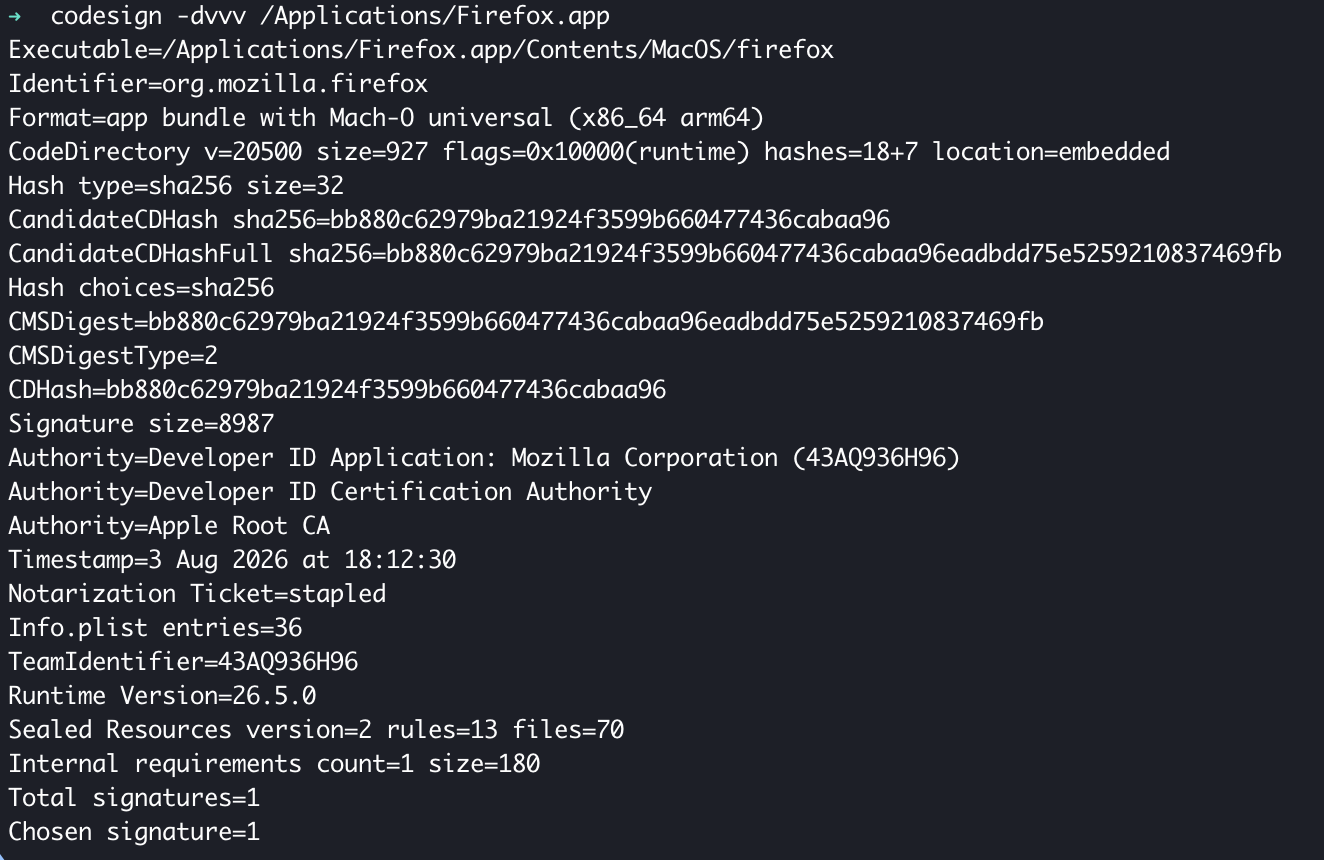
Appaloosa enforces FileVault and stores the recovery key encrypted in the console, retrievable only by authorized profiles.
Zero-touch through Apple's Automated Device Enrollment, or profile-based enrollment, with account provisioning and setup assistant control.
Yes: defer, set deadlines, and manage major and minor updates separately.