

To make devices connect automatically to the company Wi-Fi, you pre-provision the network from the MDM: the user enters nothing, and the password is never shared manually. With Appaloosa, a Wi-Fi network is created in Assets and attached to configurations. Here is how.
Why deploy Wi-Fi through the MDM
Handing out a Wi-Fi password by hand is insecure and painful at scale. By pre-configuring the network, every new device connects on its own at enrollment, the password stays protected, and you can rotate it for the whole fleet at once.
Create a Wi-Fi network in Appaloosa
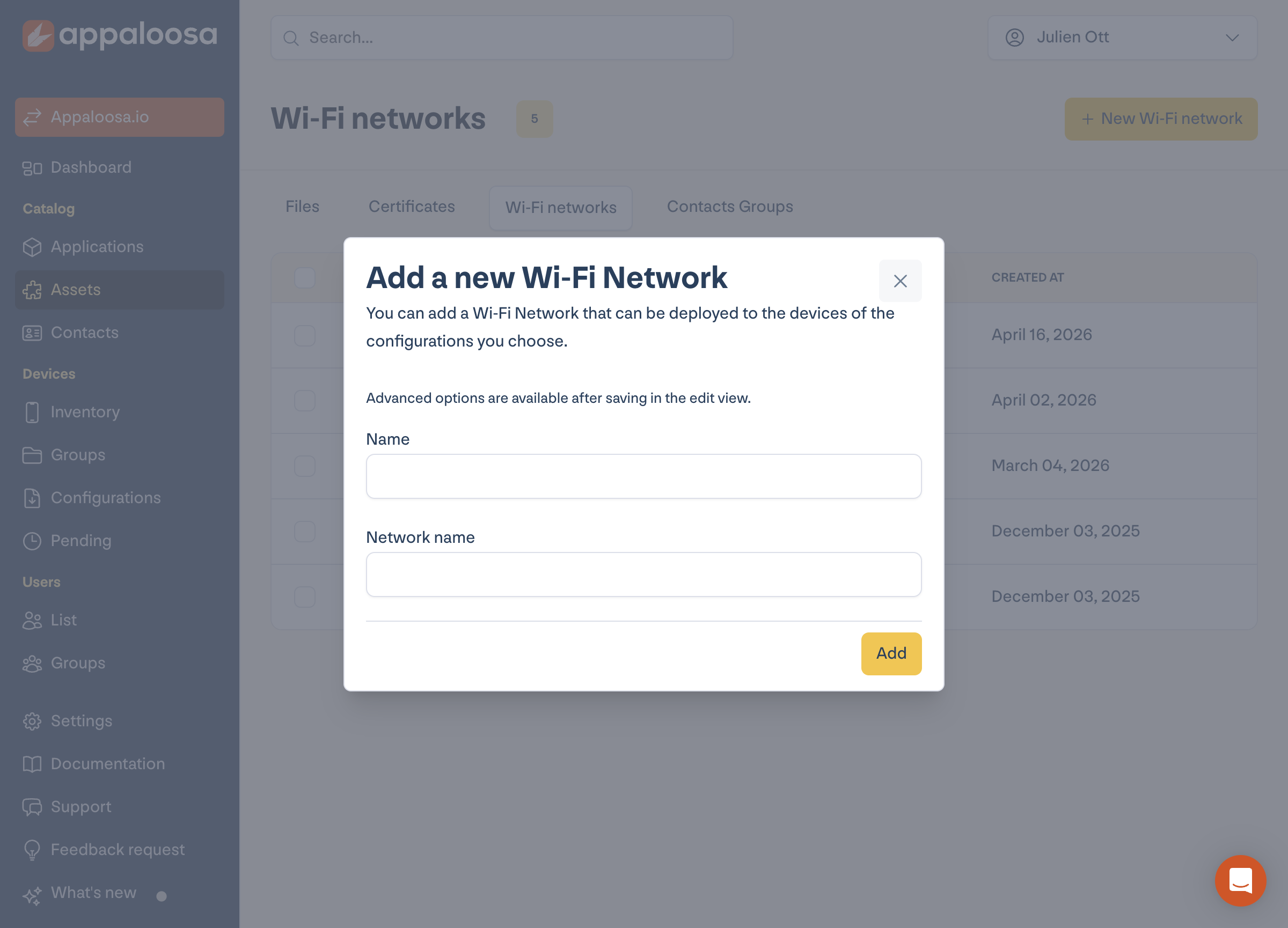
Open Assets, the Wi-Fi networks tab, then New Wi-Fi network. Enter the asset name and the network name (SSID); advanced options (security type, password, hidden network, certificate) are available in edit mode after saving.
Book a demo
See Appaloosa run on your fleet
A 20-minute call on your real setup. Enrollment, private apps, security.
Book a demo →Attach the network to your configurations
Once created, the network attaches to the configurations of your choice (per platform and management type). Every device that receives this configuration gets the Wi-Fi automatically.
FAQ
Is the Wi-Fi password visible to the user?
No. The network is pushed by the MDM; the device connects without the user needing to know or type the password.
Can you use enterprise Wi-Fi with certificates (WPA2-Enterprise)?
Yes. Advanced security options, including certificates, are set when editing the network after creation.
See the full platform Explore Appaloosa